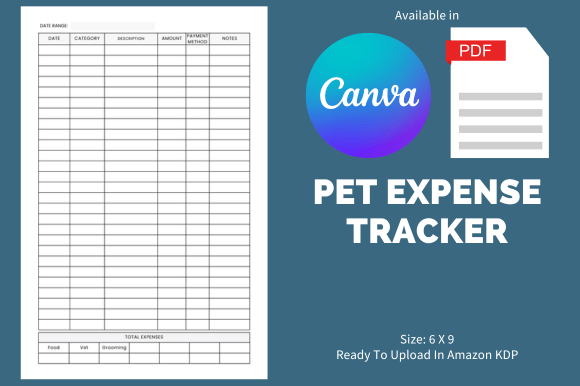
Pet Expense Tracker - KDP Template
Launching a low-content or no-content publishing business on Amazon KDP doesn’t require design expertise—but it does demand consistency, speed, and smart resource allocation. The Pet Expense Tracker - KDP Template is built for exactly that: helping creators move from idea to upload in under an hour, without compromising quality or brand alignment. It’s not just another printable—it’s a production-ready interior file designed to slot into your existing publishing workflow with minimal friction.
How It Fits Into Your Publishing Process
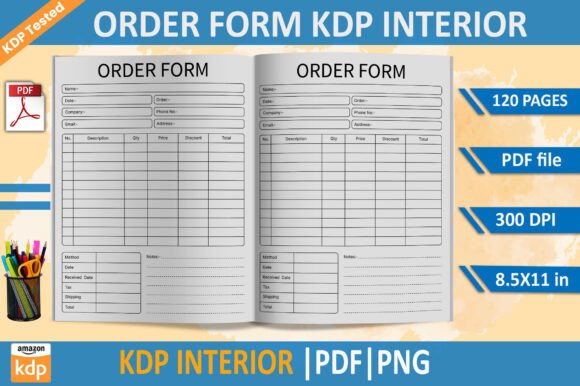
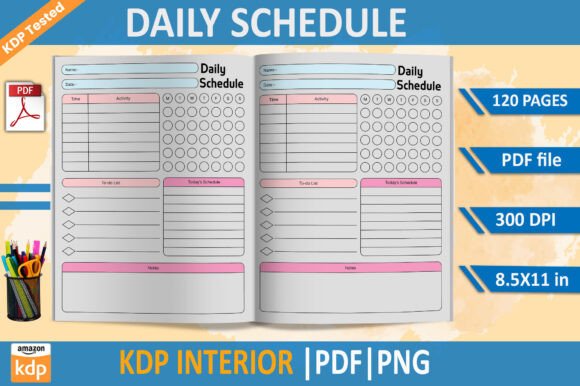
Most KDP sellers stall at the interior design stage—not because they lack ideas, but because formatting, bleed settings, page counts, and typography eat up time better spent on research, listing optimization, or marketing. The Pet Expense Tracker - KDP Template removes that bottleneck. You receive a fully pre-formatted 110-page PDF sized at 8.5 × 11 inches with proper bleed settings applied—ready to upload directly to KDP after minor customization. No reflowing text, no guessing margins, no troubleshooting printer-safe zones.
This means you can treat it like a modular asset: use it before launching a new niche series (e.g., pet care workbooks), during a seasonal campaign (back-to-school pet adoption season), or after validating demand through keyword research or competitor analysis. It integrates cleanly whether you’re building a standalone tracker, bundling it with a pet care guide, or expanding a broader “Pet Owner Toolkit” collection.
Preparation That Saves Real Time
Before opening Canva or touching the template, spend five minutes auditing your goals. Ask yourself: Who’s my ideal buyer? What problem does this solve *immediately*? How will I position it alongside other listings? The Pet Expense Tracker - KDP Template supports those decisions—not by dictating them, but by giving you structure to execute quickly once clarity arrives.
Because the interior uses Canva’s editable format (delivered as a PDF link), you retain full control over fonts, colors, icons, and layout spacing—without needing Adobe InDesign or Illustrator. You don’t need design experience; you do need intentionality. Swap out placeholder illustrations for pet-themed vectors you already license, adjust headers to match your brand voice (“Track Vet Visits & Treats” vs. “Monthly Pet Budget Planner”), or add a short intro page explaining how to use the tracker effectively. These small, purposeful edits build trust and differentiate your product in a crowded space.
Compatibility With Your Existing Tools
The Pet Expense Tracker - KDP Template works seamlessly with tools you likely already use. Upload the PDF directly to KDP’s dashboard—no conversion needed. Use Canva’s export settings to generate high-resolution PDFs if you want to preview print quality before uploading. Pair it with free resources like Publisher Rocket or Helium 10 for keyword validation, then refine your title and subtitle based on real search volume—not guesswork.
If you manage multiple KDP titles, this template also supports version control. Duplicate the Canva file, rename it (e.g., “Pet Expense Tracker – Vet Focus Edition”), and tweak categories or expense labels to create spin-off products. That kind of scalability matters when you’re building a catalog—not just launching one-off books.
Usability and Organization Designed for Real Behavior
A good tracker isn’t about complexity—it’s about reducing cognitive load. This interior includes intuitive sections: monthly overview pages, recurring expense logs (food, grooming, insurance), one-time cost trackers (adoption fees, microchipping), vet visit summaries, and even blank notes for prescriptions or behavior observations. Each page balances white space with functional structure—no clutter, no ambiguity.
That usability extends to how readers interact with the printed book. The 8.5 × 11 size fits standard binders and desk setups. Pages are numbered consistently, and section dividers use subtle visual cues—not distracting graphics—so users stay focused on logging data, not decoding layout. When buyers find a tool this easy to use, they’re more likely to leave reviews, request updates, or buy related products—directly boosting your royalties over time.
Efficiency Without Sacrificing Quality Control
“Low-content” doesn’t mean “low-effort quality.” The Pet Expense Tracker - KDP Template includes built-in checks: consistent font hierarchy, CMYK-ready color palettes, and bleed-safe zone markers. These aren’t decorative—they prevent common KDP rejection reasons like cut-off text or misaligned covers.
To maintain quality across versions, establish a simple review checklist before uploading:
- Confirm all pages are included (110 total)
- Verify bleed marks appear on every page
- Test one exported PDF in Adobe Acrobat’s Preflight tool for font embedding issues
- Print a single test page on your home printer to check spacing and contrast
Long-Term Use and Iterative Improvement
Your first upload isn’t the end point—it’s the baseline. Because the Canva template remains editable, you can respond to customer feedback directly: add a vaccination log after three buyers ask for it, include a pet-sitting cost column following a Reddit thread, or translate key headers into Spanish for bilingual audiences. Each iteration strengthens your product while deepening your understanding of what pet owners actually track—and why.
Over time, these small improvements compound. A well-maintained tracker becomes a flagship product—one buyers return to for updates, recommend in Facebook groups, or pair with your other pet-related journals. That kind of organic growth is hard to force, but easy to support with the right foundation.
Practical Implementation Tips
Start small. Don’t try to launch five pet-themed trackers at once. Instead:
- Publish the Pet Expense Tracker - KDP Template as-is with a clean, benefit-driven description
- Run a $5/day Amazon Sponsored Ads campaign targeting “pet budget planner” and “dog expense tracker”
- Monitor which pages get highlighted in early reviews—and use those insights to inform your next Canva edit
- Add a subtle callout on page 2: “Love this tracker? Try our Pet Vaccination Log next.” Link it in your KDP description
Final Thought: It’s About Leverage, Not Just Output
The Pet Expense Tracker - KDP Template works because it respects your time, your audience’s needs, and the realities of platform-based publishing. It doesn’t replace strategy—but it multiplies the impact of every strategic choice you make. Whether you’re testing a new niche, scaling a side hustle, or building authority in the pet wellness space, having a reliable, customizable interior means you spend less time wrestling with software and more time connecting with readers who need practical tools—not perfect ones.
If you value clean execution over flashy promises, and measurable outcomes over vanity metrics, this template aligns with how work actually gets done. It’s ready when you are.