Order Form Customizable KDP Interior
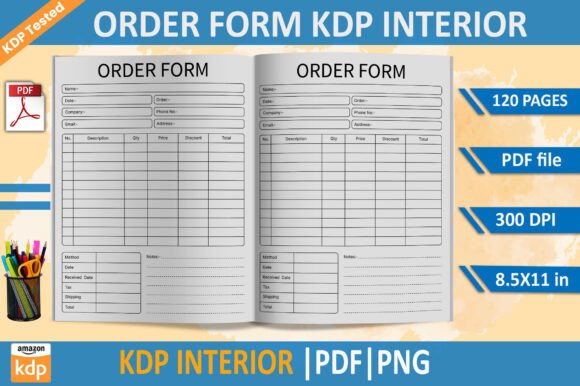
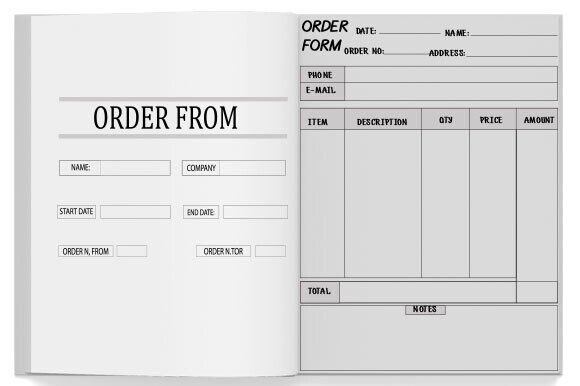
When launching a print-on-demand journal, planner, or logbook on Amazon KDP, the interior design isn’t just about aesthetics—it’s the functional backbone of your product. The Order Form Customizable KDP Interior is a ready-to-use, professionally structured PDF interior built specifically for creators who need consistency, compliance, and speed without sacrificing control. It’s not a template you build from scratch; it’s a tested, production-ready foundation—designed to slot directly into your publishing workflow and scale with your catalog.
What This Interior Solves—and Why It Fits Real Workflows
This interior serves professionals who manage recurring client orders, track service deliveries, or document repeatable processes—like healthcare practitioners logging patient visits, contractors recording job site details, or educators tracking student interventions. The 8.5×11 trim size offers ample writing space while staying within KDP’s most widely supported dimensions. With 100 high-resolution interior pages, it balances usability and cost-efficiency: enough room for detailed entries across months or projects, but lean enough to keep printing costs predictable and margins healthy.
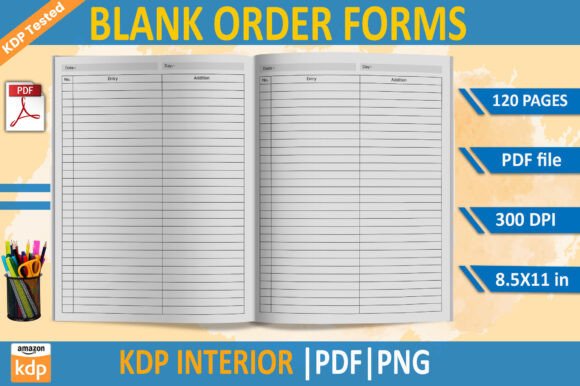
Unlike generic blank interiors, this one is pre-configured for real-world use. Each page includes subtle but functional layout cues—consistent header spacing, aligned date/subject/action fields, and margin-safe zones that prevent critical content from being cut off during KDP’s automated trimming. That means less time troubleshooting bleed lines or reformatting in Canva or InDesign—and more time refining your cover, optimizing your listing, or fulfilling orders.
How It Integrates Into Your Publishing Process
You don’t need to wait until your manuscript is final to start working with this interior. In fact, its greatest value emerges when used early and iteratively:
- Before publishing: Load the PDF into your KDP dashboard during the “Upload Interior” step—no conversion needed. Because it’s already set to CMYK color mode and 300 PPI, it bypasses KDP’s warnings about low resolution or incorrect color profiles. That eliminates delays caused by last-minute file reprocessing.
- During development: Use the interior as a reference when designing complementary assets—like matching cover fonts, consistent branding elements, or companion digital worksheets. Its clean, neutral structure supports customization without visual competition.
- After launch: When customers request revisions (e.g., adding a new field or adjusting line spacing), you can modify the original source file—then re-export the updated PDF with full confidence it will retain KDP compliance.
This isn’t a “set and forget” asset. It’s a living component of your product system—designed to evolve alongside your business needs, customer feedback, and category trends.
Compatibility and Practical Implementation
The interior is delivered as an instantly downloadable PDF—no ZIP files, no sign-ups, no watermarks. You receive one master file optimized for KDP’s specifications: CMYK color space (critical for accurate grayscale or spot-color printing), 300 PPI resolution (ensuring crisp text and fine lines), and precise 8.5×11 trim size with appropriate bleed and safety margins.
Because it’s KDP-tested, you avoid common pitfalls like:
- Pages rendering too light or washed out due to RGB-to-CMYK conversion errors
- Text clipping near edges because of insufficient margin padding
- Blurry handwriting lines or faint gridwork caused by sub-300 PPI rasterization
- Unexpected color shifts between screen preview and physical proof
If you’re using design tools like Adobe InDesign or Affinity Publisher, you can open the PDF as a base layer and overlay custom headers, logos, or instructional notes—keeping all edits non-destructive. For simpler workflows, tools like PDFescape or even Preview (macOS) allow quick annotation or field additions without altering the underlying structure.
Workflow Examples Across Roles
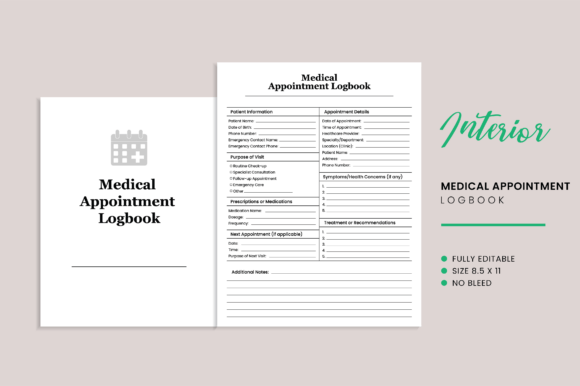
For healthcare professionals: A pediatrician uses the interior as the core of a Doctor Visit Logbook. They add clinic-specific intake questions on the first two pages, then rely on the remaining 98 pages for standardized visit summaries—date, vitals, observations, follow-up items. Because the interior is pre-aligned and consistently spaced, handwritten notes remain legible and scannable across visits.
For freelancers and consultants: A web developer bundles this interior with a service agreement PDF to create a hybrid “Project Tracker + Contract Companion.” Clients fill out order forms at project kickoff, then use subsequent pages to log milestones, feedback rounds, and delivery confirmations—all in one physical artifact that reinforces professionalism and accountability.
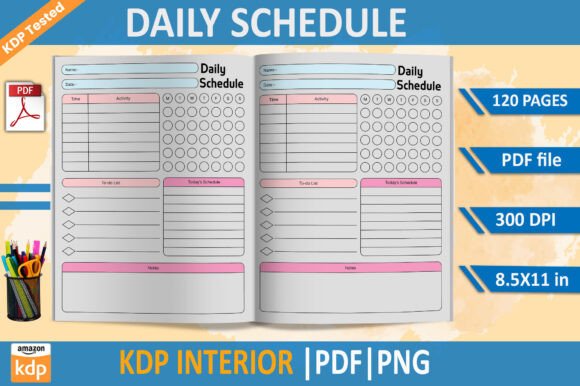
For educators and trainers: A corporate L&D specialist adapts the interior into a “Workshop Action Planner,” inserting facilitator prompts on odd-numbered pages and participant reflection space on evens. The uniform grid supports timed exercises, peer feedback collection, and post-session evaluation—all traceable in a single, durable notebook.
Quality Control and Long-Term Usability
High-resolution interiors aren’t just about sharpness—they affect how users interact with your product over time. At 300 PPI, even fine ballpoint or gel ink stays crisp against the page background. The CMYK color profile ensures greys appear neutral—not warm or cool—so repeated photocopying or scanning doesn’t distort contrast or legibility. And because the 100-page count avoids excessive bulk, the spine remains flexible and the book lies flat when open—a small detail that significantly impacts daily usability.
For creators managing multiple KDP titles, consistency matters. Using the same interior framework across related products—say, a series of logbooks for different specialties—builds brand recognition and reduces cognitive load for repeat buyers. Customers begin to recognize your layout logic, trust your formatting decisions, and return for variations rather than switching to competitors.
Making It Your Own—Without Compromising Compliance
“Customizable” doesn’t mean “unstructured.” This interior gives you room to personalize—without breaking KDP’s technical requirements. You can:
- Add your logo or tagline to the title page using a transparent PNG
- Insert a brief usage guide on page 3 (e.g., “How to Record a Visit”)
- Adjust header text to match your niche terminology (e.g., “Client Name” → “Patient ID”)
- Embed QR codes linking to digital resources—positioned safely within the 0.25″ margin zone
All modifications retain the original resolution, color mode, and trim specs—as long as you export the final version as a PDF/X-1a or PDF/X-4 compliant file. No plugins, no guesswork.
Final Considerations Before Upload
Before submitting to KDP, do three quick checks:
- Open the PDF in Adobe Acrobat (or Preview) and verify that all pages display correctly—no missing fonts, no blurry vector elements.
- Use KDP’s free online previewer to simulate how the interior renders across devices and paper types (especially important if offering both matte and premium white options).
- Print a single test page on your home printer—check alignment, contrast, and line weight. If it looks clear and functional there, it will perform reliably at scale.
This interior doesn’t replace strategy—but it removes friction from execution. Whether you're launching your first KDP product or your fiftieth, having a reliable, compliant, and adaptable interior saves hours per title. It lets you focus where it matters most: clarifying your value, serving your audience, and building systems that last beyond a single upload.