3D Modeling for Beginners Planner: A Practical Framework for Learning, Teaching, and Building
Mastering 3D modeling isn’t just about software fluency—it’s about cultivating structured thinking, iterative discipline, and visual problem-solving. For newcomers stepping into Blender, Fusion 360, Tinkercad, or Maya, the early learning curve often isn’t technical alone; it’s logistical. Where do you track daily practice goals? How do you document mesh topology experiments? What’s the best way to log rendering settings across versions or reflect on design iterations? The 3D Modeling for Beginners Planner bridges that gap—not as a passive notebook, but as an active cognitive scaffold designed specifically for spatial creators.
Why Structure Matters More Than Software Choice
Beginners frequently underestimate how much mental bandwidth is consumed by disorganization. Without consistent reflection points, learners forget which subdivision modifiers caused artifacts in Week 3—or why their UV unwrapping failed in Project 2. Educators report students grasping core concepts faster when they’re guided to articulate assumptions before modeling, not just after rendering. Researchers studying creative workflow efficiency note that practitioners who journal process decisions (e.g., “chose boolean over extrusion here because…”), even briefly, demonstrate stronger long-term retention and transferable skill application.
The 3D Modeling for Beginners Planner responds to this reality with intentionality built into its layout. Each section serves a functional purpose grounded in pedagogical research and studio practice—not filler pages, but calibrated prompts. It assumes no prior knowledge of modeling theory, yet scales seamlessly as users advance from basic primitives to organic sculpting or parametric workflows.
Designed for Real-World Use—Not Just Theory
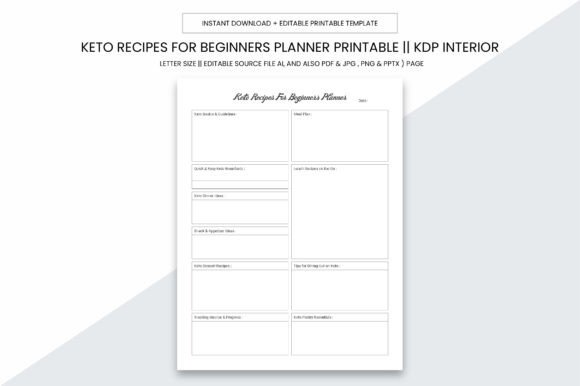
At 8.5 x 11 inches, the planner fits standard binders, desktop trays, and local print shop requirements—no custom trimming needed. Its practical size supports both focused sketching and side-by-side reference (e.g., left page for viewport notes, right for lighting setup diagrams). Crucially, there’s no bleed, ensuring clean margins whether printed at home or sent to a commercial printer. That precision matters: when documenting orthographic views or camera angles, alignment and scale integrity are non-negotiable.
This isn’t a static PDF you annotate once and abandon. The 3D Modeling for Beginners Planner ships as a digital download with multiple editable formats—AI (Adobe Illustrator), PPTX, PDF, JPG, and PNG. Designers can adjust color schemes for accessibility; educators can embed school logos or syllabus links into headers; KDP publishers can repurpose sections for companion workbooks. The AI source file preserves vector scalability, so resizing icons or repositioning grids introduces zero quality loss—even at poster-size enlargements for classroom use.
High-Fidelity Output Meets Professional Standards
Every page renders at 300 PPI, meeting industry benchmarks for crisp text legibility and fine-line clarity. This matters especially for technical notation: grid labels, coordinate systems, layer hierarchies, and node-based workflow maps all remain sharp when printed. Unlike low-res templates that blur under magnification, this planner ensures annotations stay readable—critical when reviewing topology flow or comparing material node trees across projects.
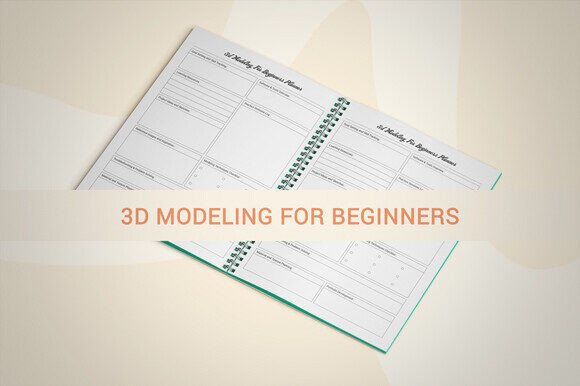
Its print-ready nature means immediate usability. No need to wrestle with crop marks or CMYK conversions: upload the PDF directly to your local print service or KDP dashboard. The full interior comprises 109 pages—thoughtfully sequenced, not padded. You’ll find dedicated spreads for project scoping, mesh analysis logs, lighting environment comparisons, render time tracking, and even troubleshooting flowcharts (“Was the Z-fighting caused by overlapping geometry or insufficient clip distance?”). Each page anticipates real friction points—not hypothetical ones.
How Different Users Apply the Planner Distinctly
Hobbyists use the “Daily Skill Drill” section to commit to 15 minutes of targeted practice—like mastering edge loops on cylinders or adjusting subsurface scattering values—then record observations. Over time, these micro-journals reveal patterns: “Consistently over-smoothing bevels when using auto-weighted normals.” That metacognition accelerates growth far more than random tutorial hopping.
Educators integrate the planner into syllabi as a required tool—not for grading, but for formative assessment. Assignments like “Document three ways to achieve the same silhouette using different modeling approaches” become tangible, compare-able artifacts. When students submit annotated planner pages alongside final renders, instructors gain insight into reasoning—not just outcomes.
Small business owners building product prototypes or architectural walkthroughs treat the planner as a lightweight project management layer. Pages titled “Client Feedback → Iteration Log” link verbal notes (“client wants smoother transitions between surfaces”) directly to versioned modeling decisions (“applied crease weight 0.75 on top edge loop, re-ran subdivision”). This creates audit trails for scope discussions and revision history—without bloating digital asset management systems.
KDP creators leverage the editable source files to build niche extensions: a “3D Printing Optimization Tracker” add-on, a “Game Asset Pipeline Log” supplement, or localized versions with metric/imperial unit guides. Because the base planner is fully customizable, derivative works retain professional polish—no mismatched fonts or inconsistent spacing undermining credibility.
Workflow Integration—Not Disruption
A common pitfall with planning tools is forcing users into rigid routines. The 3D Modeling for Beginners Planner avoids this by supporting multiple entry points. You might start with the “Concept Sketch & Reference Collage” spread before opening software, then flip to the “Viewport Notes” page mid-session to capture unexpected topology behavior. Later, during post-render review, the “Lighting Variables Log” helps correlate shadow softness with area light size and bounce intensity—data that informs future scene setups.
It also accommodates hybrid workflows. Artists using generative tools (e.g., procedural node networks or AI-assisted mesh generation) document prompt variations and output comparisons alongside manual techniques. This dual-tracking builds critical awareness of tool agency—when to delegate, when to intervene, and how each choice impacts final control and reproducibility.
Material Integrity and Long-Term Utility
Unlike disposable digital notes scattered across apps, this planner fosters continuity. Handwritten reflections next to rendered thumbnails create embodied memory anchors—the physical act of writing reinforces neural pathways more effectively than typing alone. And because it’s printable on archival paper stocks, entries remain stable for years: no cloud service sunsetting, no file format obsolescence.
Consider the “Project Retrospective” spread—used after completing a model, animation, or print. It asks not just “What worked?” but “What would I change if rebuilding from scratch?” and “Which resource (tutorial, forum thread, documentation section) was most decisive?” Answering those questions transforms isolated projects into cumulative expertise. Over six months, those retrospectives become a personalized knowledge base—more valuable than any generic online course certificate.
Scalability Beyond the First Model
The planner’s architecture anticipates progression. Early sections focus on interface familiarity and primitive manipulation. As users advance, later pages introduce advanced concepts without jargon overload: “Topology Health Check” uses visual cues (color-coded edge flow arrows) rather than terminology-heavy explanations. “Rigging Prep Notes” guide users to mark joint placement considerations before skinning—building muscle memory for production pipelines.
Even seasoned users find utility. One freelance character artist repurposed the “Material Breakdown” spread to catalog PBR texture sets across clients, noting which roughness maps required gamma correction in Unreal Engine versus Blender Cycles. Another architect used the “Scale Reference Grid” pages to maintain consistency across urban modeling projects—annotating real-world dimensions beside modeled facades.
Practical Next Steps
If you’re evaluating tools to support your 3D learning journey—or designing curriculum, managing a small studio, or publishing educational resources—the 3D Modeling for Beginners Planner offers more than organization. It delivers scaffolding aligned with how spatial thinking actually develops: iteratively, visually, and contextually. Its blend of print fidelity, editable flexibility, and pedagogical intention makes it equally viable for a student sketching wireframes at a café, a teacher preparing lesson kits, or a KDP publisher building a library of discipline-specific planners.
No special hardware is required. Print it once and use it across software platforms. Adapt its structure without altering its purpose. Fill it slowly—page by page, project by project—and watch abstract concepts crystallize into documented, repeatable understanding. That’s not just planning. It’s foundational practice, made tangible.