Editable Journal with Table of Contents
An Editable Journal with Table of Contents isn’t just another notebook—it’s a structured creative engine. Designed for clarity and control, it gives you both the freedom to personalize every page and the framework to navigate your content with intention. Whether you’re tracking health milestones, organizing client projects, mapping course curricula, or building a brand resource library, this interior template turns blank pages into purpose-built tools.
At its core, the table of contents log book template interior solves a real problem: information sprawl. Without structure, even the most thoughtful notes can become hard to revisit, reference, or repurpose. This journal bridges that gap—offering a dynamic index you update as you go, paired with high-resolution, KDP-tested interiors that print cleanly and consistently.
Why This Interior Works Across Real-World Use Cases
The 8.5×11 trim size provides generous space for writing, sketching, or pasting in visuals—without feeling overwhelming. Its CMYK color profile and 300 PPI resolution meet Amazon KDP’s strict production standards, so what you design is exactly what prints: crisp lines, accurate tones, and zero surprises at proof stage.
Different interior pages aren’t just decorative—they serve distinct functions. You’ll find:
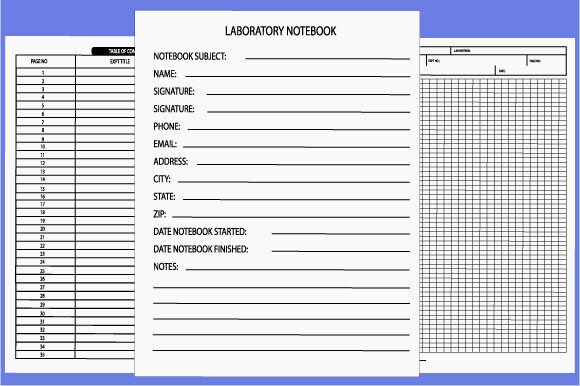
- A customizable front-of-book table of contents (with editable page number fields)
- Section dividers with title prompts and optional icons
- Log-style spreads for sequential entries (ideal for doctor visits, habit tracking, or project check-ins)
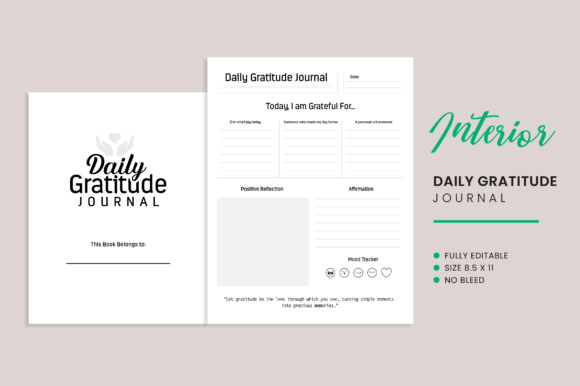
- Blank, lined, and dot-grid layouts—all aligned to the same margin and baseline grid
- Consistent headers, footers, and page numbering for professional continuity
This isn’t a one-size-fits-all layout. It’s a foundation—designed to scale with your goals. A freelance graphic designer might rename sections “Client Briefs,” “Mood Boards,” and “Final Deliverables.” An educator could adapt it for “Lesson Plans,” “Student Feedback Logs,” and “Curriculum Alignment Notes.” A small business owner may use it to document vendor contracts, service timelines, and customer onboarding steps.
Practical Adaptations for Different Audiences
For creators and marketers: Turn the table of contents into a content calendar index. Each entry links to a dated spread where you draft captions, track engagement metrics, or archive campaign assets. Because the interior is fully editable (EPS, PDF, and PNG formats included), you can drop in branded fonts, adjust spacing for visual hierarchy, or embed QR codes linking to live dashboards.
For healthcare professionals and patients: The doctor visit logbook variation shines here—not as passive record-keeping, but as active health advocacy. Use section headers like “Symptom Timeline,” “Medication Adjustments,” and “Lab Results Summary.” The consistent layout helps spot patterns across visits; the editable TOC lets you flag priority topics before each appointment.
For educators and trainers: Structure modules, assessments, and reflection prompts within dedicated sections. Since all interior pages are built to KDP specs, you can publish multiple versions—e.g., a “Classroom Edition” with student-facing prompts and a “Instructor Edition” with facilitation notes—using the same base template.
For hobbyists and lifelong learners: This journal supports deep, sustained exploration—not just note-taking, but knowledge synthesis. Try labeling sections by theme (“Materials & Techniques,” “Inspiration Archive,” “Project Milestones”) rather than chronology. Update the table of contents quarterly to reflect evolving focus areas, not just page numbers.
How to Keep Your Journal Organized—and Useful Long-Term
Clarity starts with consistency. Use the same naming convention across section titles (e.g., all verbs: “Track,” “Review,” “Refine”) or all nouns (“Goals,” “Resources,” “Outcomes”). Avoid vague labels like “Miscellaneous” or “Ideas”—they dilute the value of your TOC.
Update your table of contents *after* completing a section—not before. That way, your page numbers reflect actual usage, and your index stays trustworthy. In editable PDF or EPS files, simply double-click the field and type the correct number. No reflowing required—the layout is locked to prevent accidental shifts.
Preserve originality by personalizing *within the system*, not outside it. Change colors, add logos, or insert custom icons—but keep margins, font sizes, and grid alignment intact. That ensures readability at scale and maintains KDP compatibility across future editions.
What You Get—And Why Format Choice Matters
This interior delivers three production-ready formats:
- EPS: For full vector editing in Adobe Illustrator—ideal if you’re adjusting line weights, scaling icons, or integrating complex branding elements.
- PDF: Print-optimized with embedded fonts and flattened layers—ready to upload directly to KDP with no preflight errors.
- PNG: High-res raster files (300 PPI, CMYK) perfect for preview thumbnails, marketing mockups, or quick edits in Canva or Affinity Photo.
All files are built to Amazon’s latest KDP requirements—including bleed settings, safe zones, and spine calculations for perfect binding. No guesswork. No last-minute formatting fixes. Just upload, review, and publish.
If you're building a series—say, a collection of specialized logbooks for mental wellness, fitness coaching, or remote team management—this template becomes your production backbone. Reuse the TOC logic, adapt section names and prompts, and maintain visual continuity across titles. Readers recognize reliability. Algorithms reward consistency.
That’s the quiet power of a well-designed Editable Journal with Table of Contents: it doesn’t replace your thinking—it sharpens it. It doesn’t limit your voice—it gives it structure so it travels further, lands clearer, and lasts longer.
Download instantly. Test it with your next project. See how a single, thoughtful interior can support dozens of applications—without ever feeling generic.