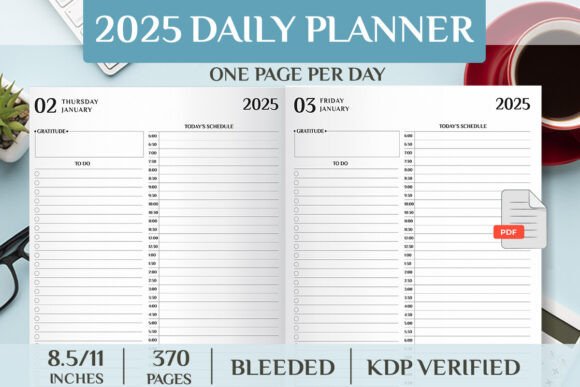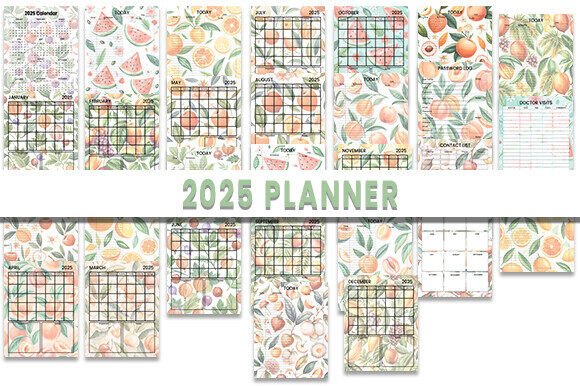
2025 Planner: Designed for Real Creative Work
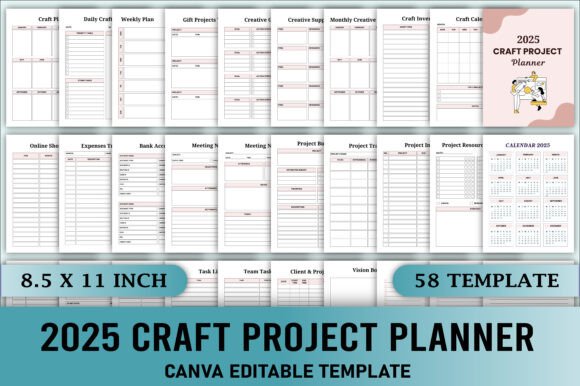
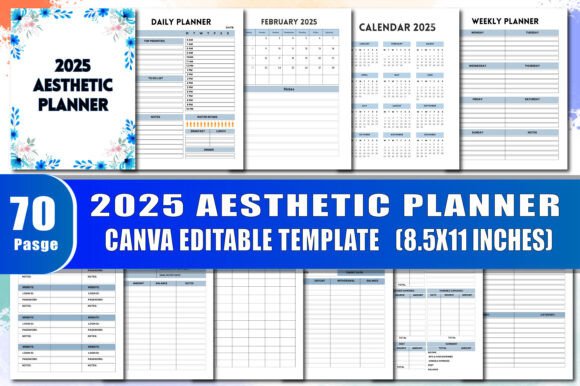
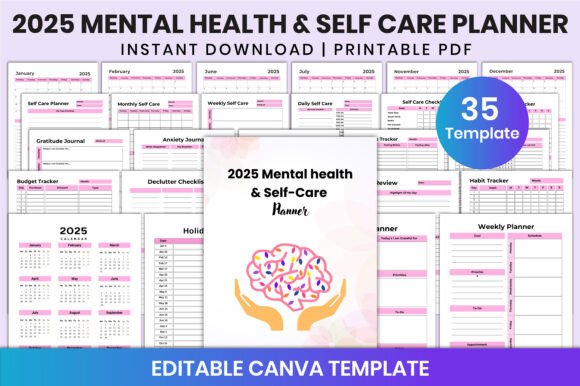
Whether you’re launching a new product line in March, mapping content for a seasonal blog series, or planning classroom units across the school year, the 2025 Planner is built for action—not just aspiration. It’s not another generic calendar with decorative fonts and empty promises. This is a 29-page, high-resolution planning system—CMYK-optimized, 300 DPI, and delivered in AI, PDF, and SVG formats—so you can adapt, print, layer, or integrate it into your actual workflow.
What Makes This More Than Just a Calendar?
Most planners ask you to fit your work into pre-set boxes. The 2025 Planner reverses that: it gives you structure you can reshape. Each monthly spread includes clean, uncluttered grids, ample writing space, and intentional margins—designed for handwriting, digital annotation, or vector-based customization. Because it ships with native Adobe Illustrator (AI) files, designers can adjust typography, color palettes, or layout proportions without losing quality. SVG files let web creators embed interactive versions directly into dashboards or client portals. PDFs are print-ready, optimized for crisp output on home printers or commercial presses.
The CMYK color profile ensures brand-consistent reproduction if you’re ordering physical copies—or sharing branded planning assets with teams. And at 300 DPI, every detail holds up whether you’re printing a wall-sized yearly overview or scaling a single month down for a social media carousel.
Creative Professionals: Turn Planning Into Part of Your Process
For graphic designers and illustrators, the 2025 Planner serves as both tool and template. Use the AI files to add custom icons, integrate client logos into monthly headers, or build a version that mirrors your studio’s visual language. One freelance designer used the base layout to create a “Client Project Tracker” variant—adding columns for scope, milestone dates, and invoice status. She then exported it as a fillable PDF and shared it with clients as part of her onboarding package.
Bloggers and content strategists use the monthly spreads to map themes, draft headlines, and assign keywords—not just deadlines. Because each page has generous margin space, you can jot down voice notes, sketch thumbnails, or paste QR codes linking to draft documents or analytics dashboards.
Entrepreneurs & Small Business Owners: Plan With Precision, Not Guesswork
If your Q1 goals include launching a new service, hiring two team members, and testing three marketing channels, the 2025 Planner helps you break those down visually—not just chronologically. Try this: use the top third of each monthly spread for strategic priorities (e.g., “Improve email open rates”), the grid for weekly actions (“A/B test subject lines Tuesdays”), and the bottom margin for quick reflections (“Which variant drove most clicks? Why?”).
Small business owners also appreciate the flexibility to repurpose pages. A bakery owner printed the January spread on kraft paper, added handwritten notes about holiday inventory, then scanned it back in and layered it over a Canva mockup to pitch a “New Year, New Menu” Instagram campaign. That same spread later became the foundation for an internal staff training handout—just by swapping out fonts and adding bullet points.
Educators & Coaches: Structure Learning Without Sacrificing Flexibility
Teachers don’t need rigid lesson plans—they need adaptable frameworks. The 2025 Planner supports that. Use the monthly view to block out unit timelines, assessment windows, and professional development days. Then use the blank side of each spread (or duplicate the page digitally) to draft learning objectives, student check-in prompts, or reflection questions. One middle school science teacher created a “Lab Rotation Tracker” by adding colored dots to the grid—each hue representing a different experiment station—and reused the same file across all her classes.
Life coaches and workshop facilitators use the planner to design cohort journeys. They’ll set anchor dates (e.g., “Week 3: Values Alignment Exercise”) in the main grid, then annotate margins with facilitation tips, common participant questions, or resource links—all editable in Illustrator or annotated live during Zoom sessions.
Hobbyists, Freelancers & Side-Giggers: Make Time Visible—Not Just Filled
If you’re balancing a full-time job with a pottery studio, freelance editing, or a podcast, time often feels like something you’re reacting to—not directing. The 2025 Planner helps reclaim agency. Its clean, unbranded aesthetic means no visual noise competing with your priorities. You decide what goes where: a 30-minute sketch session, a 15-minute client follow-up, or even “no screen time after 7 p.m.”—all given equal visual weight.
One writer used the planner to track submission cycles: she assigned colors to publication types (blue = literary journals, green = paid newsletters), logged response dates in the margins, and kept a running tally of acceptances/rejections at the bottom of each month. That simple habit turned abstract effort into measurable progress—and helped her identify which venues responded fastest.
How to Keep Your Adaptations Clear and Effective
When customizing the 2025 Planner, clarity beats complexity. Start with one goal per month—then expand only if it adds value. For example:
- Designers: Limit font changes to two type families max. Consistency helps users scan faster—even in personal use.
- Marketers: If adding KPIs or metrics, place them in the same location each month (e.g., always top-right corner) so trends become visible at a glance.
- Educators: Use consistent symbols for recurring activities (e.g., 📚 = reading day, ✍️ = writing workshop)—so students or co-teachers can interpret quickly.
And remember: high-res doesn’t mean high-effort. You don’t need to redesign every page. Often, the most powerful use is simply printing the base layout, writing directly on it, and snapping a photo to archive your thinking. The SVG and PDF files make that easy to repeat—no software required.
Ready to Begin—Without Starting From Scratch
The 2025 Planner isn’t about perfection. It’s about lowering the barrier between intention and action. Whether you’re sketching wireframes in the margins, embedding client feedback into an Illustrator layer, or using the SVG version to animate a “Month-at-a-Glance” for your team Slack channel—the files are yours to use, adapt, and make meaningfully yours.
No templates force creativity. But good tools—like this one—make creative discipline feel natural, sustainable, and quietly powerful.